Purchase Orders for Shopify, Built Into Stockful
Purchase orders that end in a number you can trust. Build an order per supplier, send it as a branded PDF or straight to their inbox, receive it as it actually arrives, and let shipping and duties settle onto every unit for a true landed cost that feeds your margins. Your reorder recommendations can start the order for you. From $19.99/mo with a 14-day free trial.
Manual PO entry vs Stockful - side by side
| Manual PO entry | stockful. | |
|---|---|---|
| What to reorder | Guessed or worked out by hand | Reorder recommendations tethered to real observed sales |
| Quantities & unit costs | Typed in by hand | Pre-filled from the supplier's price list |
| Choosing items | One at a time | Single item or bulk-select, grouped by supplier |
| Suppliers | Kept in a spreadsheet | Supplier SKU, cost, pack size, MOQ and lead time |
| Sending the order | Copied into an email by hand | Branded PDF, packing slips, or email to the supplier |
| Receiving | Ticked off on paper | In transit, accept or reject, partial receipts, then close |
| True cost | Shipping and duties ignored | Shipping, duties and fees allocated across units |
Purchasing, from order to true cost
Know what it actually cost
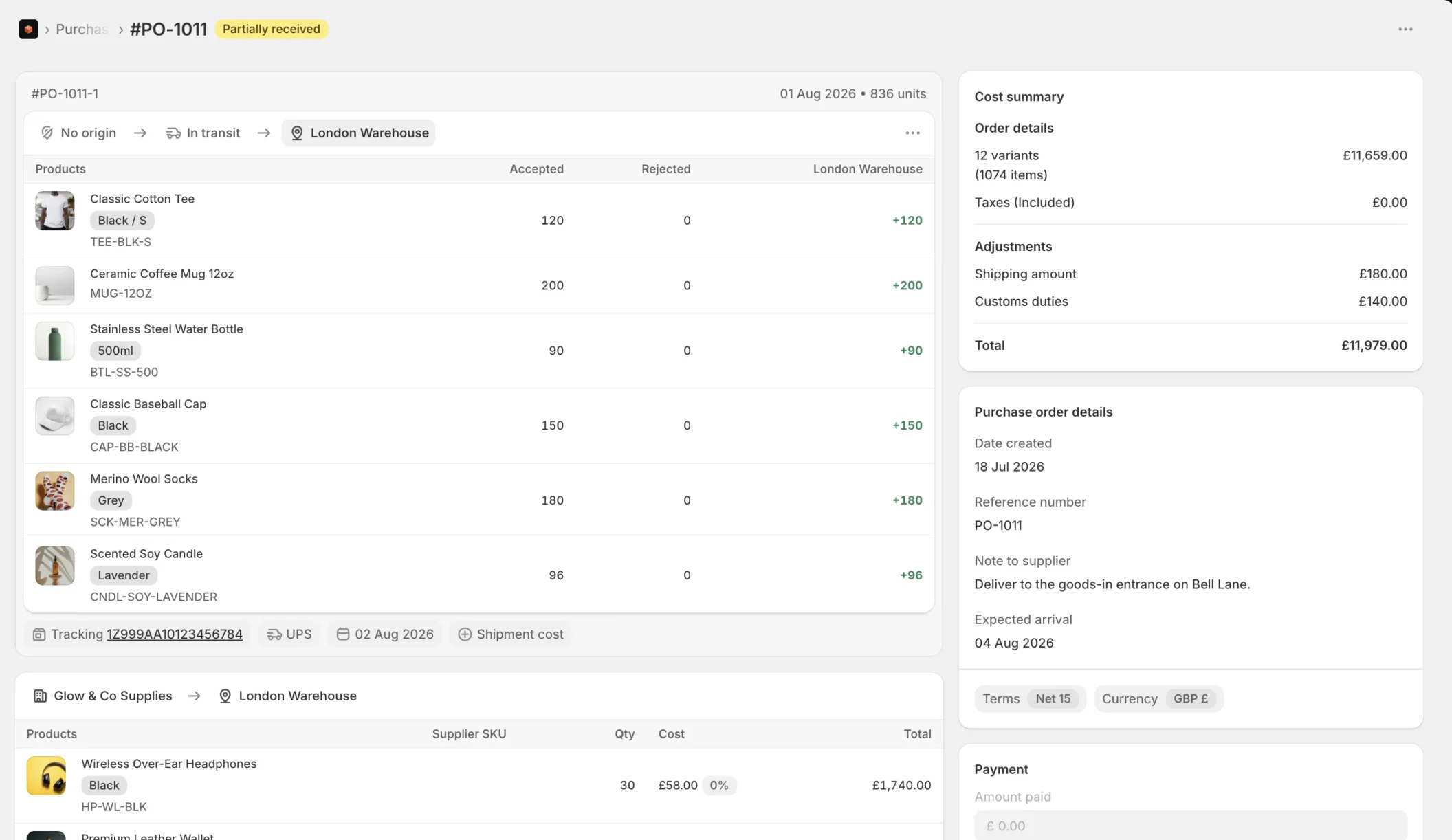
Shipping, duties and fees allocate across the units on the order, so each item carries its real landed cost. That figure feeds your average cost and margin reporting, and can sync back to Shopify's cost per item so both agree.
One order per supplier
Start from scratch, or let your reorder recommendations group automatically into a draft for each supplier. Quantities and costs come from that supplier's price list, with pack size, minimum order quantity and minimum order value applied.
Send it however you work
Export a branded PDF, print packing slips, or email the order straight to your supplier. Buy in their currency when you need to, and track payments against the order.
Receive as it actually arrives
Deliveries rarely turn up in one clean piece. Log shipments in transit, accept or reject what arrives, take partial receipts, then close - and cancel, duplicate or archive an order when plans change.
Frequently asked questions
How does Stockful create a purchase order?
Does it work with Shopify inventory and POS?
How are items matched to my products?
Do I set up suppliers in Stockful?
Can I see what a delivery really cost?
How much does it cost?
Explore more
Start with history, not an empty chart.
Install Stockful and up to two years of your Shopify sales history comes across at install, so forecasts, reports and reorder points work from day one.